
System-level blocking, not a browser extension.
A browser extension sees the tab. Network Guard sees the connection — so it covers games, launchers and apps with a browser hidden inside.
One screen where you can see everything at once.
Protection switch, YouTube handled as a service, per-browser scope and a list of active domains — without clicking through multiple tabs.
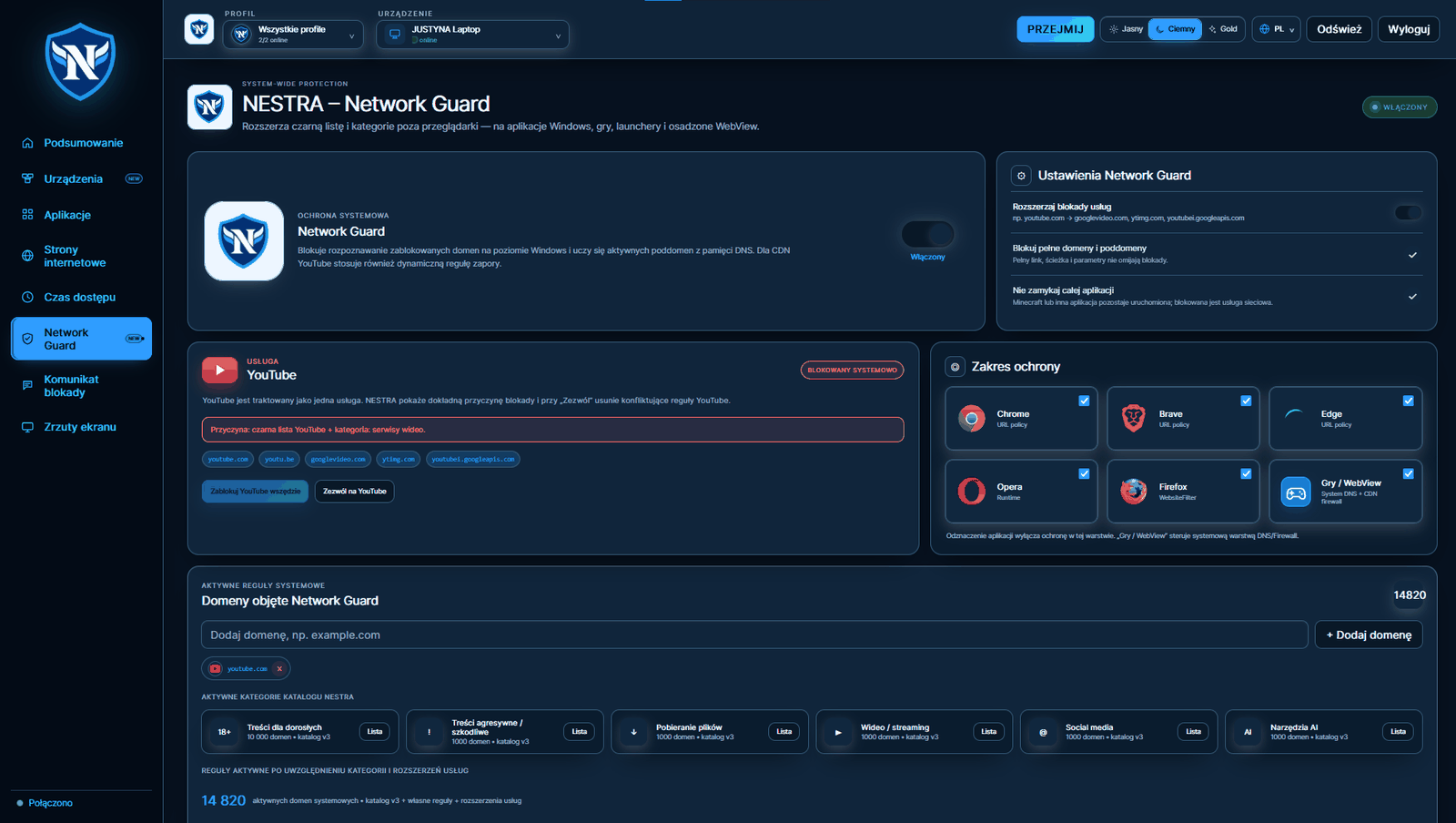
Six layers, each enabled separately.
Chrome, Edge, Brave
Address rules enforced through browser policies — works in incognito mode too.
Opera
A layer that works while the browser is running and covers built-in shortcuts and panels.
Firefox
Browser-side content filtering independent of the Chromium engine.
Games and WebView
System DNS plus a firewall rule. This is the layer that catches Steam, Epic, Discord and Roblox.
Full domains and subdomains
A link with tracking, a path and parameters does not bypass the block.
Learning subdomains from DNS
The Agent learns active subdomains from the DNS cache, so CDN networks are not a loophole.
Unticking an application disables protection only in that one layer. The rest keeps working.
YouTube is treated as a service, not as a single address
Blocking only youtube.com still leaves the video stream working because the video comes from other servers. NESTRA closes the whole family of addresses with one switch.
youtube.comandyoutu.begooglevideo.com— servers that deliver the videoytimg.com— thumbnails and artworkyoutubei.googleapis.com— application interface
When you choose “Allow”, NESTRA removes all conflicting rules at once, so YouTube is not left partially blocked.
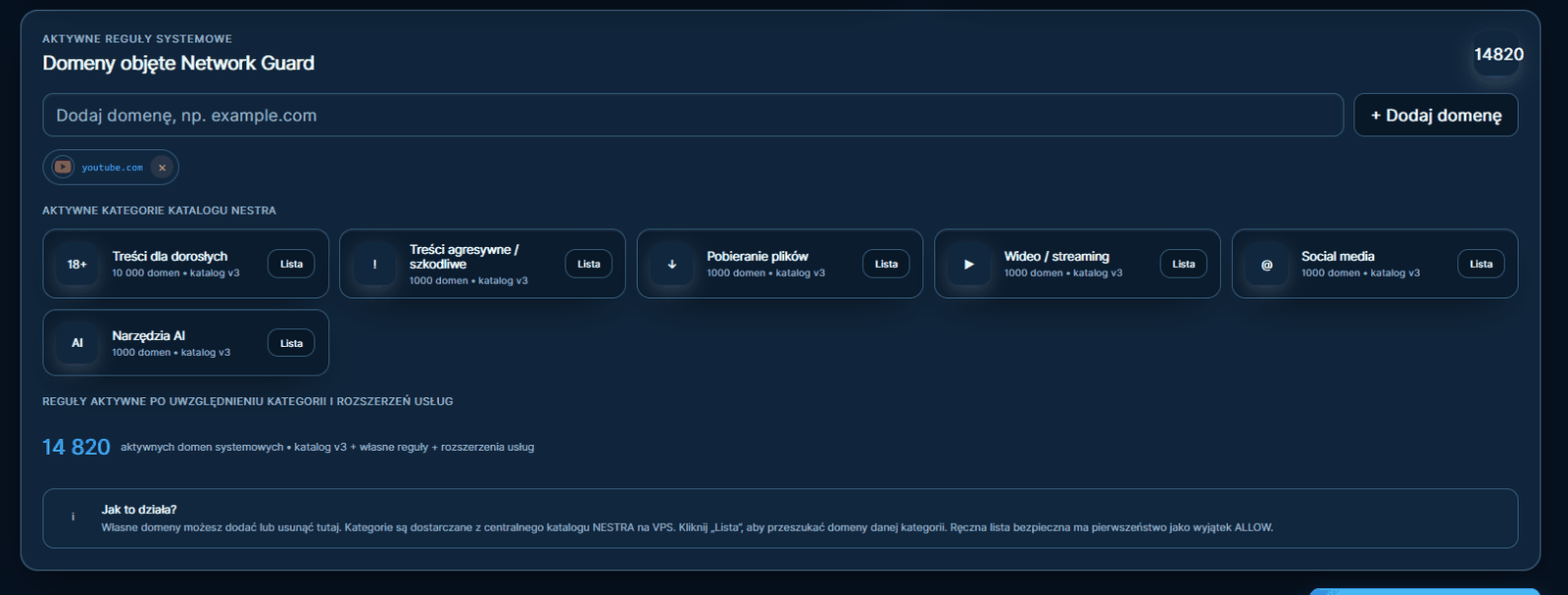
Six categories, almost fifteen thousand domains.
Lists come from the NESTRA server and grow without updating the Agent on your child's computer. You can add your own domains alongside them, and the manual safe list takes priority as an exception.
What Network Guard cannot do.
If your child has an administrator account and a manually configured paid VPN, no software can completely prevent that. NESTRA does not pretend nothing is happening — it sends an alert. We would rather state that here than explain it after a refund.
Network Guard requires the Agent to run with administrator privileges because it manages the hosts file and a Windows Firewall rule.